Kiwi Credit Card Review 2026: Fees, Cashback, Neon & UPI Rewards

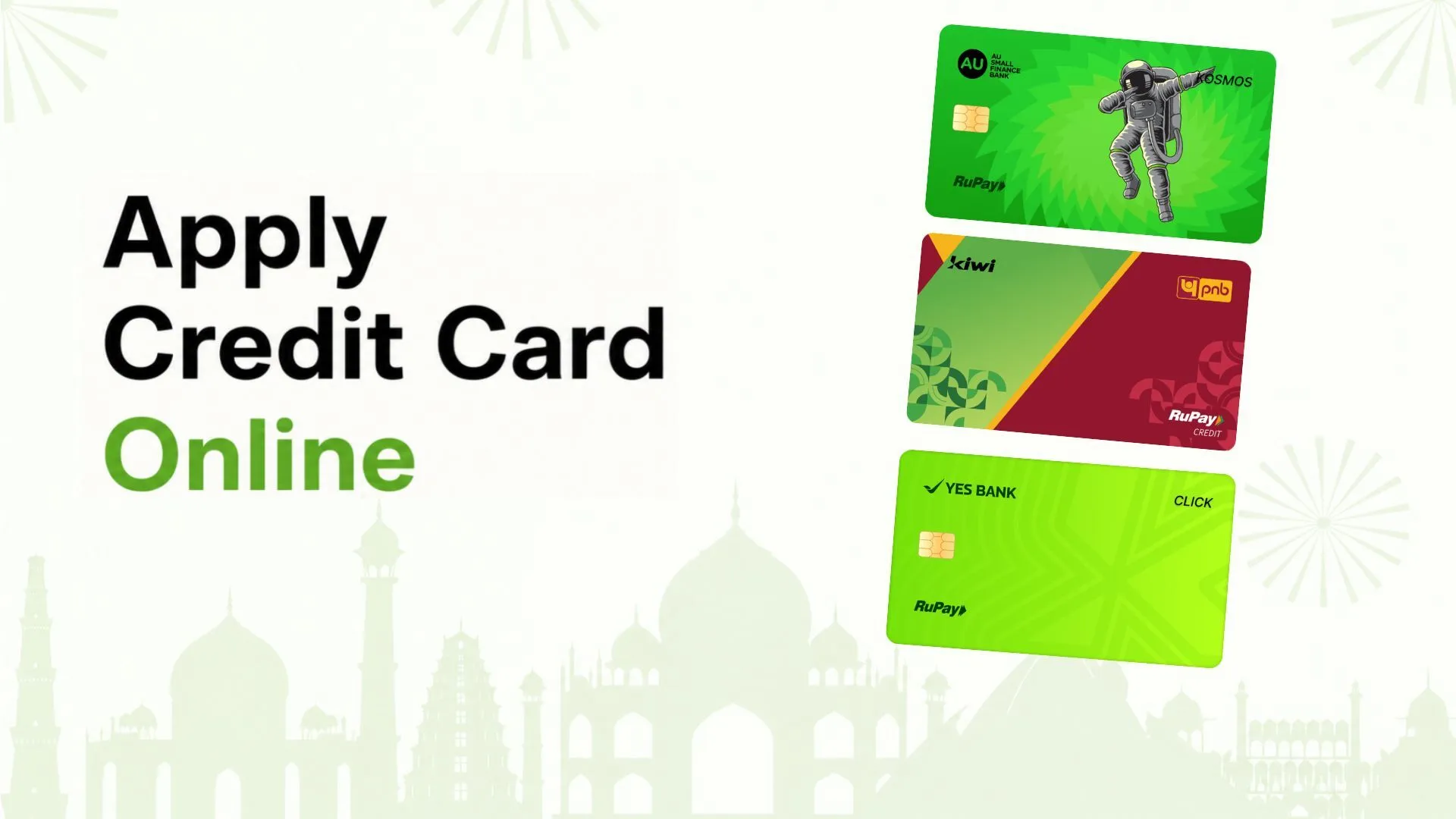
Kiwi is the card people mention when you ask which credit card works best with UPI. It is also a card that is easy to misunderstand. Kiwi is not a bank. It is a UPI app run by Gokiwi Technologies in Bengaluru, and the “Kiwi Credit Card” is a RuPay card issued by a partner bank, which can be YES Bank, Punjab National Bank or AU Small Finance Bank depending on the variant you are offered. You apply, link and use it inside the Kiwi app.
That split matters because it decides who sets which rule. Kiwi controls the rewards. The bank controls the credit limit, the interest rate, the fees and the statement. This Kiwi Credit Card review in India reads Kiwi’s own pages and rewards policy line by line, flags what Kiwi does not publish, and works out whether the famous 1.5% and 5% numbers hold up.
Quick verdict
A good fit if you pay for most things by scanning UPI QR codes, want a no-fee second card, and will clear the bill in full. Look elsewhere if you want interest, late fee and credit limit stated up front, or if your spending is mostly fuel, utilities, insurance or rent, which earn nothing. The 1.5% rate applies to Scan & Pay in the Kiwi app, counted in blocks of ₹100 and capped each month at 1% of your credit limit. The “up to 5%” headline needs the paid Neon membership and ₹1.5 lakh of eligible yearly spending.
Our 5 review points (tap a star)
These are editorial observations from Kiwi’s published terms. They are not customer reviews or satisfaction scores, and we have not tested the card.
Kiwi Credit Card: Quick Overview
This table sticks to what Kiwi or the issuing banks publish. “Not confirmed” means the detail is missing from the pages we read, or sources disagree. Features, limits and rewards are subject to eligibility and to each issuer’s terms.
| Feature | What is published |
|---|---|
| Issuing bank | Partner banks: YES Bank (Klick), Punjab National Bank (PNB Kiwi), AU Small Finance Bank (Kosmo). Kiwi’s policy also refers to Axis Bank KWIK cards issued via Kiwi. |
| Card network | RuPay, built for UPI |
| Joining fee | ₹0 on Kiwi’s pages. Third parties report a fee on a PNB format: confirm for your variant |
| Annual fee | ₹0 on Kiwi’s pages (same caveat for PNB) |
| Renewal fee | Not confirmed (advertised as lifetime free) |
| Maximum credit limit | Not published. Set by the issuing bank. |
| Interest rate | Not published by Kiwi. Issuer-specific. |
| Interest-free period | Not confirmed on Kiwi’s pages. Issuer-specific. |
| Cashback | 1.5% on Scan & Pay, 0.5% on online UPI payments (cards issued since 4 July 2024), paid as “Kiwis” worth ₹0.25 each |
| Paid upgrades | Neon: ₹999 + taxes a year. Boost: ₹49 + taxes for 3 months (selected users only) |
| UPI compatibility | Yes, link and pay through the Kiwi app; merchant payments |
| Savings account features | None. Kiwi is a UPI app, not a bank, though it also lets you use bank accounts and other RuPay cards |
| EMI availability | “EMI on UPI” offers exist; standard terms not confirmed |
| Foreign currency fee | Not confirmed. Kiwi’s blog cites 2.75% for the YES Bank Klick; other sources show 3.5%. |
What Is the Kiwi Credit Card?
Think of three layers. The Kiwi app is the interface: it takes your application, shows your card, scans QR codes and credits rewards. The partner bank is the lender: it approves you, sets the limit and interest, sends the statement and carries the regulatory duties. RuPay and UPI are the rails that let a credit card pay a merchant QR code.
There is no savings account tied to this card. What Kiwi does offer is the ability to use linked bank accounts and other RuPay credit cards inside the same app, though those earn only occasional “surprise rewards”, not the card’s regular cashback. Money spent on the card is borrowed from your credit limit, and borrowed money is only free if you repay in full by the due date.
Not every swipe qualifies for cashback. Kiwi’s own policy says rewards apply to transactions made through the Kiwi platform and exclude whole merchant categories.

Which bank issues your card?
Kiwi’s card page says “One Kiwi. Three banks.” and lists YES Bank, PNB and AU Small Finance Bank. Cashback rates look identical across the three on Kiwi’s pages, but the fine print behind them does not: interest, late fees, forex and fuel surcharge rules belong to the bank. Which bank you get is decided during application, so you may not be able to choose. Ask for the MITC of the issuer shown in your app before you accept.
Kiwi Credit Card Features and Benefits
No-fee base card
Kiwi’s pages show zero joining and zero annual fees on all three variants, and “lifetime free” is its main pitch. One caution: third-party card trackers report a joining and annual fee on a PNB physical-card format. We could not settle this from Kiwi’s own pages, so treat the PNB variant as “verify first”.
Instant digital card
The card is described as a virtual RuPay card that you can use after approval. The YES Bank Klick is virtual only according to third-party sources; whether the AU or PNB variants come with a plastic card is not confirmed on Kiwi’s pages.
UPI-first design
You add the card to the Kiwi app, set a UPI PIN, scan a merchant QR code, and the payment is charged to your credit limit. Kiwi’s marketing highlights that you can pay as little as ₹5, though rewards need ₹100 or more per transaction.
Cashback in “Kiwis”
Rewards arrive as Kiwis. Four Kiwis make one rupee. They are redeemed to your UPI-linked account in blocks, not as a live balance. Full rules are in the cashback section.
Fuel surcharge and bank reward points
Kiwi’s YES Bank, PNB and AU pages list a fuel surcharge waiver, and the YES and PNB pages mention bank reward points on non-UPI spends. The percentage and points rate are not shown on Kiwi’s pages, so see the issuer’s terms. Note that Kiwi’s own cashback excludes fuel stations.
Kiwi Neon and Kiwi Boost
Neon is a yearly paid membership; Boost is a three-month add-on that lifts online cashback. Both are optional and described below.
Offers, EMI on UPI and referrals
Kiwi runs a steady stream of limited-time merchant offers, EMI on UPI campaigns (some no-cost) and a refer-and-earn scheme. These change often and can be withdrawn without notice, so we do not count them toward the card’s everyday value.
Controls and tracking
The app tracks outstanding balance and lets you pause online or offline transactions. Kiwi lists PCI DSS, ISO, CISA and SISA certifications in its site footer. A help centre carries video guides for VKYC, viewing card details, paying the bill, Neon and lounge access. Kiwi also publishes a grievance redressal page.

Kiwi Credit Card Fees and Charges
Kiwi does not publish a single fee schedule, because the credit card’s charges come from the issuing bank. The table lists what Kiwi states, and marks the rest. Do not copy numbers from another card.
| Fee or Charge | Amount | Conditions |
|---|---|---|
| Joining fee | ₹0 | As shown on Kiwi’s YES, PNB and AU pages. Third parties report a PNB format with a fee: confirm. |
| Annual membership fee | ₹0 | Same caveat for PNB. |
| Renewal fee | Not confirmed | Advertised as lifetime free. |
| Card issuance and delivery | Not confirmed | Virtual card is instant; physical card terms depend on the bank. |
| Kiwi Neon (optional) | ₹999 + taxes a year | Non-refundable. Only for cards issued via Kiwi since 4 July 2024. |
| Kiwi Boost (optional) | ₹49 + taxes per 3 months | Select users notified by Kiwi. No auto-renewal. Non-refundable. |
| Interest / finance charges | Not published by Kiwi | Set by the issuing bank. See the interest section. |
| Minimum amount due | Not confirmed | See the bank’s MITC. |
| Late payment charges | Not confirmed | Bank-specific, usually slab-based on the outstanding amount. |
| EMI interest / foreclosure fee | Not confirmed | Kiwi lists EMI on UPI offers; standard rates are not on its pages. |
| ATM cash withdrawal (savings or credit) | Not confirmed | Kiwi does not describe cash withdrawal. Savings funds do not apply to this card. |
| Foreign currency fee | Conflicting | 2.75% (Kiwi’s blog, YES Klick) versus 3.5% on some other sources. Confirm with the bank. |
| Fuel transaction fee / surcharge | Not confirmed | A fuel surcharge waiver is listed; its percentage is not shown on Kiwi’s pages. Fuel earns no Kiwi rewards. |
| Wallet loading, utility, rent | Not confirmed | Utility spends earn no rewards. Check for bank-level surcharges. |
| Credit-fund transfer charges | Not confirmed | UPI use is merchant-only; see the UPI section. |
| GST and taxes | As applicable | Membership fees are quoted before taxes. |
What “lifetime free” does and does not mean
- Free ownership: no joining or annual fee on the base card, as Kiwi shows it.
- Optional paid layers: Neon at ₹999 plus taxes a year, Boost at ₹49 plus taxes per quarter.
- Interest: charged by the bank when the bill is not paid in full.
- Penalties: late payment charges and any bank-level transaction fees.
In short, “lifetime free” describes the price of holding the card. It says nothing about the price of borrowing on it.
Kiwi Credit Card Interest Rate Explained
Kiwi’s pages do not state an interest rate, and that is the biggest gap in the product’s public information. Because the bank sets it, the rate can differ by variant. As a sense of scale, Punjab National Bank’s published MITC lists 2.95% a month (35.89% a year) for its standard credit cards. That is a general PNB figure and not confirmed for the PNB Kiwi variant. Third-party trackers quote about 3.6% to 3.8% a month for other Kiwi variants. We have not been able to confirm those numbers from the banks, so do not rely on them.
What applies to any credit card: interest starts when you do not pay the total due by the due date, and the interest-free window shrinks or disappears on that spend. Paying only the minimum keeps you clear of the late fee, not of interest. Third parties mention an interest-free period of up to around 50 days for some variants, but Kiwi’s pages do not confirm it.
An illustration (hypothetical rate)
Assume a monthly rate of 3.5%, chosen only to show how it works. You spend ₹20,000 and pay ₹5,000 by the due date. About ₹15,000 stays outstanding. One month of interest on that balance is roughly ₹525, before late fees, taxes and the loss of interest-free treatment on the purchases. Use the calculator below with the rate printed in your own MITC.
Applies the published rule that rewards count only in whole ₹100 blocks per transaction, and the monthly cap of 1% of credit limit. Excluded categories should be left out of the spend you enter.
Neon milestones from Kiwi’s terms: 3% at ₹50,000, 4% at ₹1,00,000, 5% at ₹1,50,000 of eligible yearly spend, counted net of cashback already earned under Neon. The GST rate is our assumption. Caps, rounding losses and lounge value are not modelled.
The default rate is a placeholder, not Kiwi’s or any bank’s published rate. Simple interest, no fees, no compounding.
Kiwi Credit Card Cashback Review
Rewards are where Kiwi is most detailed, and where the headline numbers need the most unpacking.
- Base rates: for cards issued since 4 July 2024, 1.5% on Scan & Pay and 0.5% on online UPI payments. Older cards earn 1% on Scan & Pay.
- ₹100 blocks: since 1 June 2025, Kiwis are counted only on multiples of ₹100 for each transaction. A ₹199 payment earns as if it were ₹100. Many small payments lose a lot to rounding.
- Cap: monthly rewards are capped at 1% of your total credit limit. With a ₹50,000 limit, the most you can earn in a month is ₹500.
- Value and redemption: 1 Kiwi equals ₹0.25. You need at least 500 Kiwis (₹125) to redeem, and only in multiples of 500, sent to your UPI-linked account.
- Exclusions: fuel stations and fuel dealers, utilities and telecom, insurance, government payments and taxes, education, financial institutions, real estate, jewellery, gift cards, tolls, auto dealers and several other merchant codes. Classification relies on the merchant code the transaction carries.
- Platform rule: rewards apply to successful transactions made through the Kiwi platform. If you add the card to another UPI app and pay there, do not assume Kiwis will follow. Not confirmed.
- Change risk: Kiwi says it may change, withdraw or end rewards at its discretion, and may cut a flagged user’s cap to the lower of 1% of the limit or ₹500.
- Regional note: the policy says its rewards programme is not open to residents of Tamil Nadu, West Bengal, Sikkim and Nagaland. That sentence sits in the general offer terms, so confirm whether it applies to card rewards in your state.
Kiwi’s card page says cashback “goes directly into the bank account”. The policy is more careful: you build Kiwis and redeem them in blocks. Both are true in the end, but the second is what you will experience.
Kiwi Neon: when does ₹999 pay off?
Neon is for cards issued since 4 July 2024. It raises Scan & Pay to 2%, adds 0.5% on online payments, and tops up yearly rewards to 3%, 4% or 5% of eligible spend at ₹50,000, ₹1,00,000 and ₹1,50,000, with one lounge pass at each step. The milestone amount is calculated as the target percentage of eligible spend minus cashback you already earned under Neon, and it is credited after about a month. The monthly 1% cap does not apply to milestone rewards. Lounge passes last six months and allow a two-hour stay.
Kiwi’s page says that at ₹1.5 lakh of yearly spend you “save ₹7,500”. That is the gross 5% reward, not the saving. Without Neon, the same ₹1.5 lakh of Scan & Pay would earn about ₹2,250 at 1.5%. So the extra from Neon is roughly ₹5,250, and after the ₹999 fee plus taxes you are about ₹4,000 ahead. At ₹50,000 of spend the maths flips: you would pay more than you gain. Use the Neon tab above. Kiwi also calls ₹1.5 lakh a yearly spend “anyone usually” reaches; that is a claim, not a fact for your budget.
Kiwi Boost
Boost costs ₹49 plus taxes for three months and lifts eligible online UPI cashback from 0.5% to 1%. It is offered only to selected users, does not auto-renew and does not affect Scan & Pay. Run the numbers: you need roughly ₹10,000 to ₹11,500 of eligible online spend in the quarter (depending on taxes) just to earn back the fee through the extra 0.5%.
Kiwi Credit Card and UPI Payments
This is the card’s reason to exist. The flow, as Kiwi describes it:
- Apply in the Kiwi app and complete the bank’s checks.
- Receive digital access to the card.
- Link the card in the app and set the UPI PIN.
- Scan a merchant QR code or choose Kiwi at checkout, and authenticate with your UPI PIN.
- Track spends, pay the bill and watch rewards in the app.
Kiwi Credit Card Eligibility
- Assessment: Kiwi says eligibility is evaluated in the app using income, credit profile and KYC. The issuing bank makes the final decision.
- PAN and income: a PAN is expected. A partner offer page lists income proof as the last three months’ bank statements, which Kiwi itself does not confirm.
- Video KYC: Kiwi’s help centre carries a guide on completing VKYC, so a video KYC step is part of the process.
- Age and residency: not confirmed on the pages we reviewed.
- Credit history: not stated either way. Do not assume first-time applicants will be approved.
- Limit: decided after assessment. Your limit also sets the monthly rewards cap.
Approval is never guaranteed, and an advertised limit or offer is not a promise to every applicant.
How to Apply for the Kiwi Credit Card
- Download the Kiwi app. Kiwi’s site links the Google Play listing. iOS availability is not confirmed on the pages we read.
- Register with your mobile number.
- Enter your personal details, including PAN and income, and share any documents asked.
- Complete identity verification and KYC, including video KYC when requested.
- Wait for the issuing bank’s assessment. The bank decides, and you may be shown a specific variant.
- Review the limit and terms. Find the MITC, interest rate and late fee before you accept.
- Activate the card in the app, link it for UPI and set the PIN.
- Make a first payment with the Kiwi flow to confirm that rewards show up.
Apply only through the app or the official website at gokiwi.in. Approval time and card delivery are not guaranteed.
How to Pay the Kiwi Credit Card Bill
Pay through the Kiwi app, which has a “How to pay your credit card bill” video in its help centre. The issuing bank may offer other channels, but we could not confirm which. Check your statement for the total amount due and the due date, pay the total if you want to avoid interest, and verify that the payment shows and the outstanding balance falls. Do not assume that every method works at every time. Keep a second route ready near the due date.
Kiwi Credit Card Pros and Cons
| Advantages | Disadvantages and limits |
|---|---|
| No joining or annual fee on the base card, as shown by Kiwi. | Interest, late fee and forex are not published on Kiwi, and vary by issuing bank. |
| 1.5% on Scan & Pay is a clear, simple rate. | Rewards count only whole ₹100 blocks; small payments lose value. |
| Built for UPI QR payments with a credit line. | Merchant-only use. Rewards tied to the Kiwi platform. |
| Neon can lift yearly returns to 3–5% on big spenders. | Neon costs ₹999 + taxes, is non-refundable and needs ₹1 lakh or more to pay off clearly. |
| Digital card, in-app tracking and card controls. | Monthly cap of 1% of limit; many categories excluded (fuel, utilities, insurance, rent-like spends, government). |
| Frequent offers and EMI on UPI campaigns. | Kiwi can change or end rewards without notice. |
| Three partner banks to choose from in principle. | No control over which bank you get; one PNB format may carry fees. |
Kiwi Credit Card vs Other Cards
We compared Kiwi with two lifetime-free RuPay UPI cards that readers often weigh against it. Where we did not verify a number, the table says so. Our Roarbank Credit Card review covers that card in detail.
| Kiwi RuPay credit card | Roarbank (Unity SFB) | Axis Bank super.money RuPay | |
|---|---|---|---|
| Annual fee | ₹0 on base card (verify the PNB format) | ₹0 (advertised) | ₹0, lifetime free (Axis) |
| Headline cashback | 1.5% Scan & Pay, 0.5% online; up to 5% with paid Neon | Up to 20% on two chosen categories each month | 3% on UPI paid through the super.money app (Axis) |
| Reward conditions | ₹100 blocks; monthly cap 1% of limit; many exclusions; ₹999 Neon | ₹2,500 monthly maximum; category rates in the app | Cap and minimum-spend rules were revised on 1 Jan 2026 per secondary reports: confirm with Axis |
| UPI compatibility | Kiwi app; merchant QR payments | Add to Google Pay, PhonePe, Paytm and others | RuPay on UPI; the 3% applies only via super.money |
| Interest rate | Not published (issuer-specific) | 39.6% p.a. (3.3% a month), per tariff | Not verified |
| Other charges | Not published on Kiwi | Forex 3.5%; credit ATM 3.5%; 1% on heavy fuel/wallet/utility | 1% fuel surcharge waiver mentioned by Axis |
What this shows: Kiwi is the most UPI-specific of the three and the least transparent about borrowing costs on its own pages, while Roarbank publishes its tariff in full but earns less predictably. Axis headlines the highest flat UPI rate but ties it to one app. None of the three is “best” in general. The better card is the one whose published rule fits your actual spending pattern.
Is the Kiwi Credit Card Worth It?
First-time users
Can be a free way to start if approved, but get the bank’s MITC first. The app experience is simple; the borrowing terms are not on Kiwi.
Regular UPI merchant payers
The natural audience. 1.5% on Scan & Pay is useful if your payments are ₹100-plus and outside the excluded categories.
Cashback-focused users
Run your own numbers in the calculator. Rounding to ₹100 and the 1%-of-limit cap can cut the headline rate.
Emergency borrowing
Kiwi does not describe cash withdrawal, and interest rates are unpublished. Not a clear choice for borrowing.
International travellers
Forex terms are unclear, and Kiwi is built around Indian UPI merchants. Look at a travel-friendly card.
People who carry balances
Avoid. Interest is bank-set and unpublished on Kiwi; rewards will not offset it.
General information, not personal borrowing advice. No approval, limit or reward is guaranteed.
Frequently Asked Questions
Is the Kiwi Credit Card lifetime free?
What is the Kiwi Credit Card interest rate?
What is the maximum credit limit?
Does the Kiwi Credit Card support UPI?
Is cashback available on all purchases?
Can a first-time credit card user apply?
What are the late payment charges?
Does the card offer EMI?
Can the card be used internationally?
How can the card be blocked?
How can users pay the bill?
Does the card have an annual fee?
Final Verdict
The Kiwi Credit Card does one thing well: it turns everyday UPI QR payments into a credit-card spend that earns 1.5% back, for no fee to hold it. The catches are all in the fine print. Rewards are counted in ₹100 blocks, capped by your limit, withheld on large categories and changeable at Kiwi’s discretion. Neon can be worth it for people spending ₹1 lakh or more a year in eligible UPI payments, and not for lighter users. And because the bank, not Kiwi, sets interest and penalties, the cost of making a mistake is hard to see before you apply.
It may suit disciplined, UPI-heavy spenders who pay in full. Compare alternatives if you carry balances, spend mostly in excluded categories, need foreign usage or want every charge visible in one place.
Before you apply, read Kiwi’s rewards policy and the issuing bank’s MITC for your variant.
Read Kiwi’s official rewards terms
How We Researched This Review
On 25 October 2026 we read Kiwi’s RuPay credit card page, card overview, partner-bank pages (YES Bank, PNB, AU), rewards policy, Neon and Boost terms and help centre, and checked PNB’s published MITC and Axis Bank’s super.money page. Where Kiwi and the issuing banks do not publish a figure, we say so rather than use a guess. Third-party sources are used only to flag unverified claims and conflicts. We did not apply for or test the card, and we show no customer reviews or ratings. All explanations are written in our own words.
Official Sources
- Kiwi: RuPay credit card
- Kiwi: cards overview · YES Bank Klick · PNB Kiwi · AU Kosmo
- Kiwi Rewards Terms and Conditions
- Kiwi Neon Membership terms · Kiwi Boost terms
- Kiwi help centre · Terms and conditions · Grievance redressal
- PNB credit card MITC
- Axis Bank super.money RuPay Credit Card · Roarbank tariffs
Disclosures
Editorial independence: MoneyBeat.in has no affiliate arrangement with Kiwi, Gokiwi Technologies or its partner banks for this article, and links above go to official sources. If that ever changes, we will say so here.
Financial disclaimer: This article is for general information and is not financial, credit or investment advice. Fees, rates, rewards, memberships and terms can change without notice. Always read the latest official terms of Kiwi and the issuing bank before applying. Credit cards carry risk: missed payments can attract fees and interest and affect your credit score.